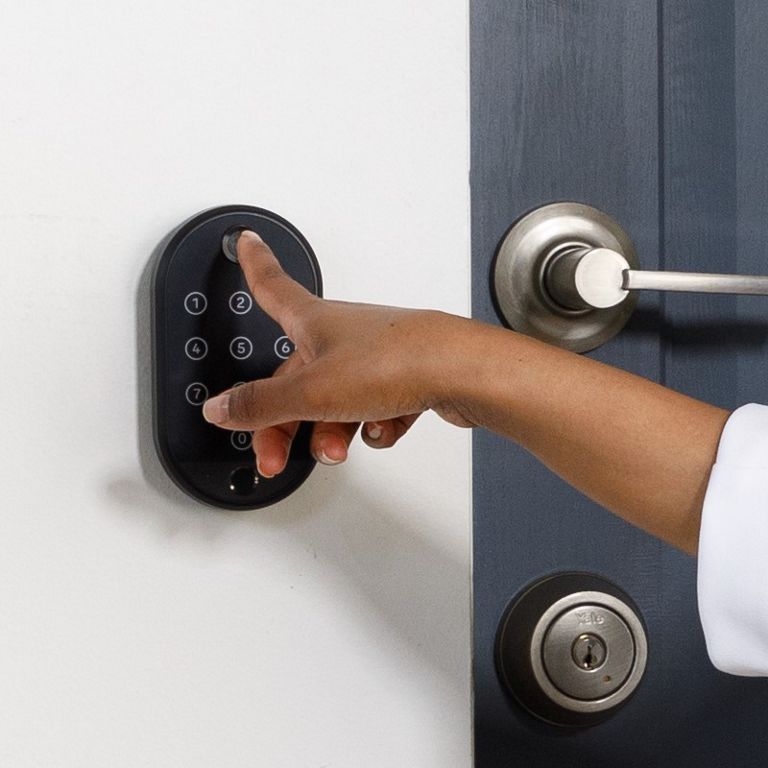
The Yale Smart Keypad 2 – Fingerprint is powered by four AAA batteries. Battery life can vary depending on usage patterns, environmental conditions, and device settings. The following sections outline the most common causes of increased battery drain and provide guidance on how to reduce it.
1. Motion Sensor
The keypad includes a built-in motion sensor that wakes the device when movement is detected nearby. While this feature can improve convenience, it can significantly reduce battery life—particularly in high‑traffic areas where the sensor is triggered frequently.
How to reduce battery drain:
- Disable the motion sensor in the Yale Home app (see last section).
- When disabled, the keypad will only wake when physically touched, helping to extend battery life.
2. Frequent Use or Incorrect Entry Attempts
Battery consumption increases with frequent use. The Smart Keypad 2 – Fingerprint is designed for residential use and is not intended for the constant activity typically associated with industrial or commercial environments.
Additionally, multiple incorrect PIN or fingerprint attempts cause the keypad to flash its LEDs and emit alerts, which further increases power usage.
How to reduce battery drain:
- Minimise repeated entry attempts.
- Ensure enrolled users are familiar with correct PIN codes and fingerprint placement.
3. Firmware and Device Settings
Firmware updates have introduced features designed to help manage battery usage, such as:
- Privacy Mode, which disables keypad functionality when not required
- Motion sensor controls, allowing you to enable or disable wake‑on‑motion behaviour
How to reduce battery drain:
- Install firmware updates when prompted in the Yale Home app.
- Review keypad settings after updates to ensure they are configured for your usage needs.
4. Device Position and Connectivity
The keypad must remain within reliable Bluetooth range of the lock (approximately 4 metres). If the connection is weak or unstable, the keypad may attempt to reconnect repeatedly, increasing battery consumption.
How to reduce battery drain:
- Install the keypad within the recommended distance of the lock.
- Avoid placing the keypad where walls, metal structures, or other obstructions could interfere with Bluetooth connectivity.
5. Battery Quality and Replacement
Using fresh, good‑quality AAA batteries is essential for optimal performance. If rapid battery drain is observed, replacing the batteries should be the first troubleshooting step.
Important note on rechargeable batteries: Rechargeable AAA batteries are not recommended for this product. They typically supply 1.2V per battery rather than the standard 1.5V. When four rechargeable batteries are used, the total voltage is 4.8V instead of 6.0V, which will result in reduced performance and earlier low‑battery notifications.
Best practice:
- Always use new, non‑rechargeable, high‑quality AAA batteries.
- Replace all four batteries at the same time.
Quick Battery Life Tips
- Disable the motion sensor in high‑traffic areas
- Keep firmware up to date
- Ensure strong Bluetooth connectivity
- Avoid repeated incorrect entry attempts
- Use non‑rechargeable, high‑quality AAA batteries